Every rep. Every set.
Every breakthrough.
Log swim, gym and open water sessions in detail. Track trends and analytics over time. Upload race footage and get accurate per-segment splits — all stored in one place for progress tracking.
Free plan available · No credit card required
Three tools, one training hub
Everything you need to log, analyse and improve — working together so nothing falls through the cracks.
Training Log
Log every swim, gym and open water session with full set detail, split times and automatic PB detection.
Trends & Analytics
See volume trends, stroke breakdowns and session-over-session improvements at a glance.
Video Analysis
Upload race footage, tap to mark distances, and get accurate per-segment splits — saved straight to your log.
Log every session
down to the last rep
Capture pool, gym and open water sessions with full set detail — distances, strokes, efforts, split times, exercises, reps and weights. LaneLogic detects PBs automatically as you log.
Pool sessions
Sets with reps, distances, strokes, efforts and split times.
Gym & dryland
Exercises with sets, reps and weights — tailored input form.
Open water
Log open water swims with distance and conditions.
Automatic PB detection
Split times checked against your PBs — new bests flagged instantly.
Training Log
Jamie · Tuesday session
4,200m
total
6
sets
Warm-up
8 × 50m freestyle @ easy
Main set
🏅 PB detected!4 × 100m backstroke @ race pace
Sprint set
6 × 25m butterfly @ max effort
Backstroke improving — 1.6s faster than last week's session average
Gym Session
Strength & conditioning
5
exercises
Lat Pulldown
4 × 8
Squat
4 × 6
Deadlift
3 × 5
Core Plank
3 × 45s
15
12
3
17,300m
Best
1:07.90
Mean
1:10.40
Std Dev
±2.68s
Q1 (25th)
1:08.53
25th %ile
Median
1:09.35
50th %ile
Q3 (75th)
1:10.50
75th %ile
1st %ile
1:07.90
fastest 1%
99th %ile
1:15.65
Reps
18
See your progress
session over session
Volume charts, stroke breakdowns and improvement trends help you spot patterns and see exactly how your training is progressing over time.
Volume tracking
Total distance per week, with stroke and effort breakdowns.
Improvement trends
See which strokes and distances are getting faster over time.
Goal times
Set target times for events and track how close your training gets you.
AI analysis (Pro)
AI reviews your recent sessions and predicts target race times.
Race footage into
accurate time splits
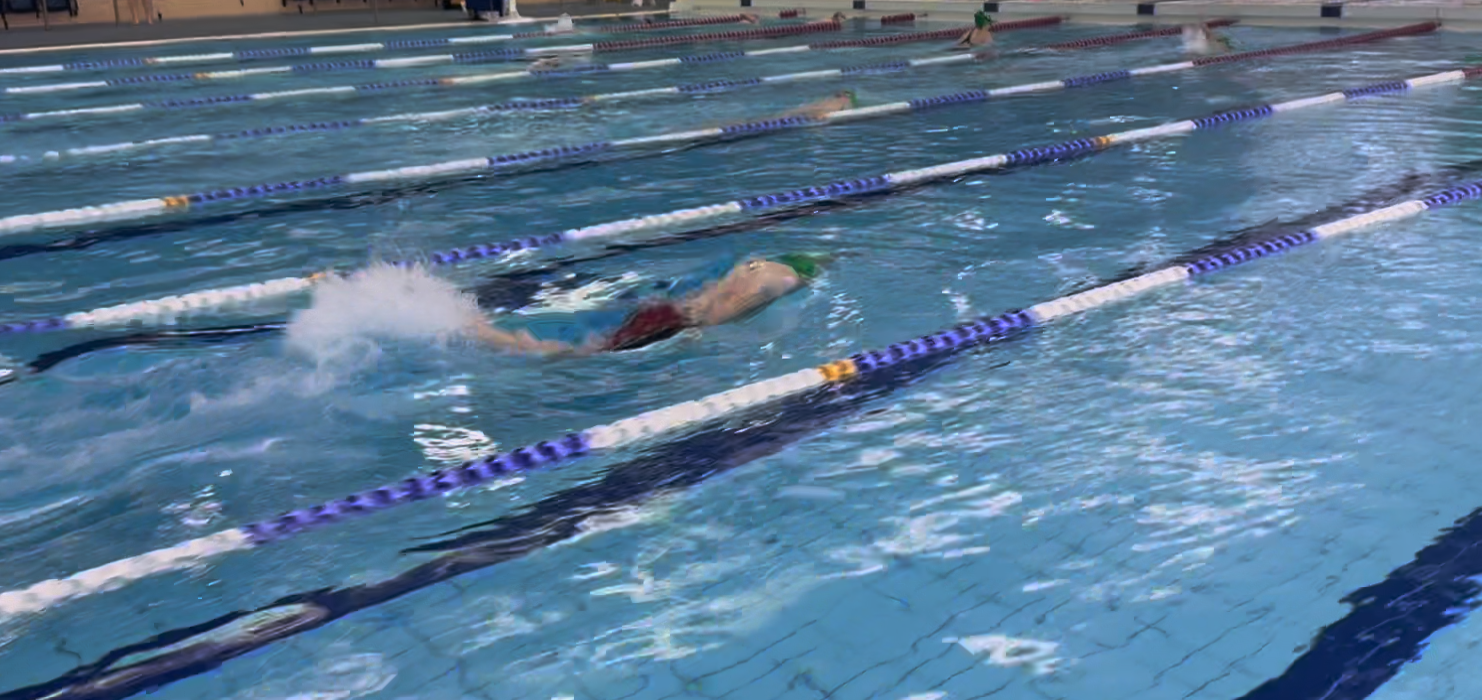
Upload a video of a race or training swim, tap the screen as your swimmer crosses each distance marker, and LaneLogic calculates per-segment splits and the total time. Save them straight to your training log for analytics.
Upload or record
Upload from your camera roll or record directly in the app.
Tap to mark
Tap each time your swimmer crosses a distance marker — 15m, 25m, 50m and more.
Instant splits
Per-segment and cumulative times calculated automatically.
Save to training log
Splits feed straight into your analytics — no double entry.
Video Analysis
Upload a clip, mark distances, and get race splits
10.6
EVENT 312 · 50m Freestyle
Tip: drag the blue guide line to align with a pool marking, then tap ‘Add marker’ when the swimmer crosses it.
How it works
From session to insight in four simple steps.
Log your session
Add sets with distances, strokes, efforts and split times — or log gym exercises with sets, reps and weights.
Analyse your trends
View volume charts, stroke breakdowns and improvement trends to see how your training is progressing.
Upload race footage
Record or upload a video, tap as your swimmer crosses each distance marker, and get instant splits.
Save & track progress
Video splits save to your training log automatically, so every race and rep feeds your analytics.
Why swimmers and parents use it
Stop relying on memory and scraps of paper. Your whole training history in one place.
Never miss a PB
Automatic PB detection means breakthroughs in training are never lost.
All in one place
Pool, gym, open water and video splits — all feeding the same analytics.
Spot the trends
See what's working and what isn't — session over session, stroke over stroke.
Training & video analysis FAQ
Common questions about logging sessions, analytics and video analysis.
Start logging your sessions free
Try the LaneLogic Training Log, analytics and video analysis with a free account — no credit card required.
We use cookies and local storage
Essential storage keeps you signed in and remembers your settings. Optional analytics helps us understand how LaneLogic is used. We never use advertising cookies. Read our Cookie Policy.